
TreeGrid - PCF Control
The Missing UI Layer for Hierarchical Dataverse Data
High-Performance Tree Grid for Model-Driven Apps
TreeGrid enables users to visualize, navigate, and edit complex hierarchical data directly within Model-Driven Apps—at scale and with full keyboard accessibility.
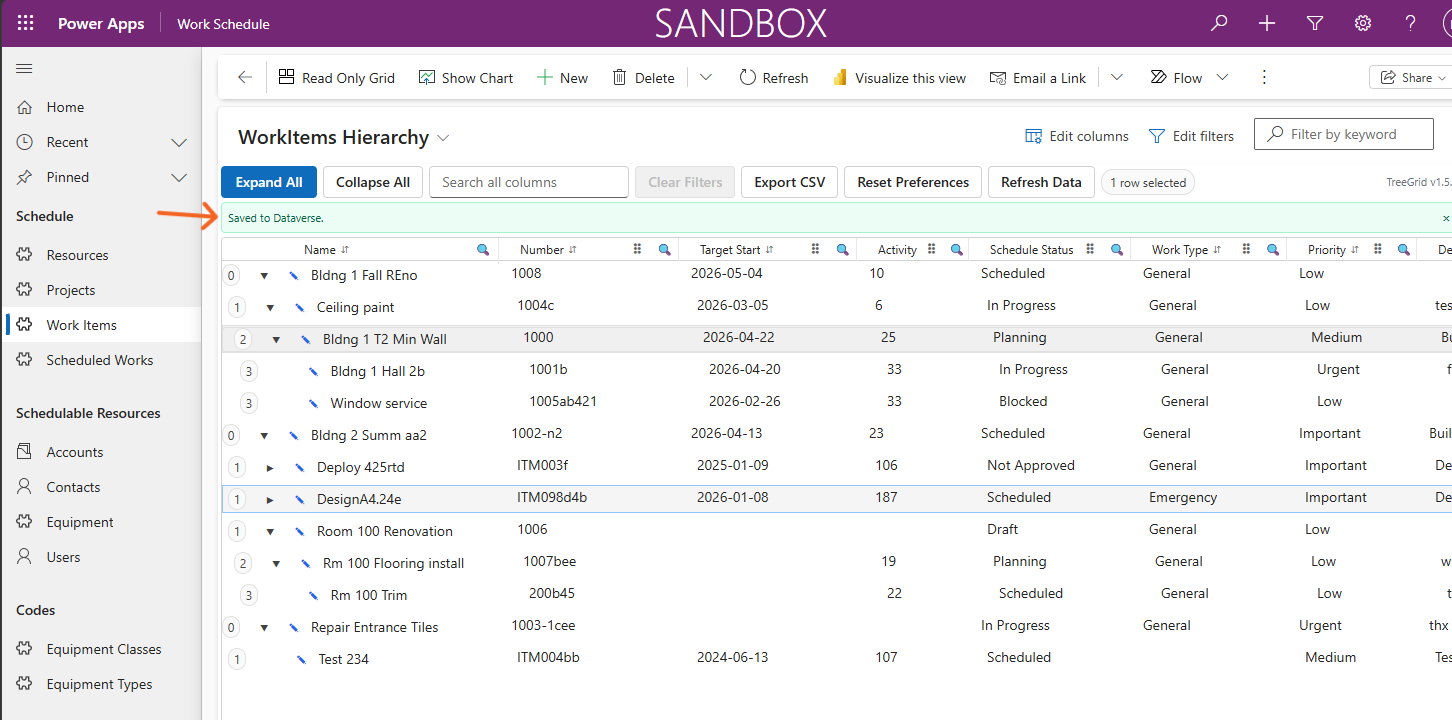
Standard Model-Driven grids are limited to flat views with no hierarchy awareness. TreeGrid transforms self-referencing Dataverse tables into intuitive, multi-level tree structures—perfect for work planning, asset management, and structured workflows.
Brief Overview Video:
The Problem TreeGrid Solves
Standard Model-Driven grids fall short for hierarchical data:
- ❌ Flat views only – No way to show parent-child relationships
- ❌ No hierarchy awareness – Users lose context across levels
- ❌ Limited interaction – Editing requires navigating to separate forms
- ❌ Poor performance at scale – Slows down with large datasets
TreeGrid provides:
- ✅ True hierarchical visibility – See the full structure at a glance
- ✅ Better navigation – Expand/collapse nodes intuitively
- ✅ Inline editing at scale – Edit multiple rows without opening forms
- ✅ High performance – Handles 1,000–10,000+ records smoothly
Key Capabilities
- 🌳 Hierarchical Tree Grid – Renders self-referencing Dataverse data as a tree (2–8+ levels deep)
- ⚡ Virtualized for Performance – Smooth scrolling (30+ FPS), fast expand/collapse (<250ms)
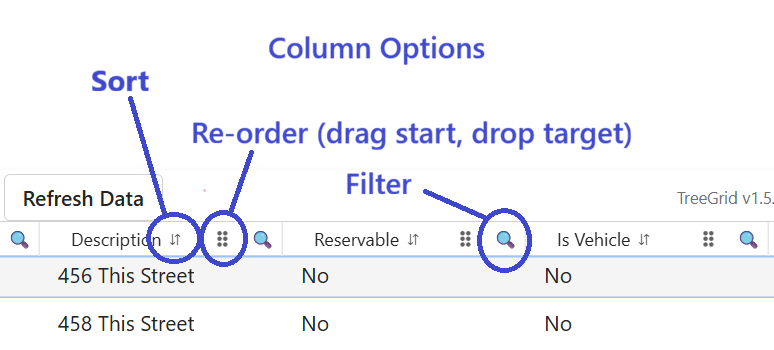
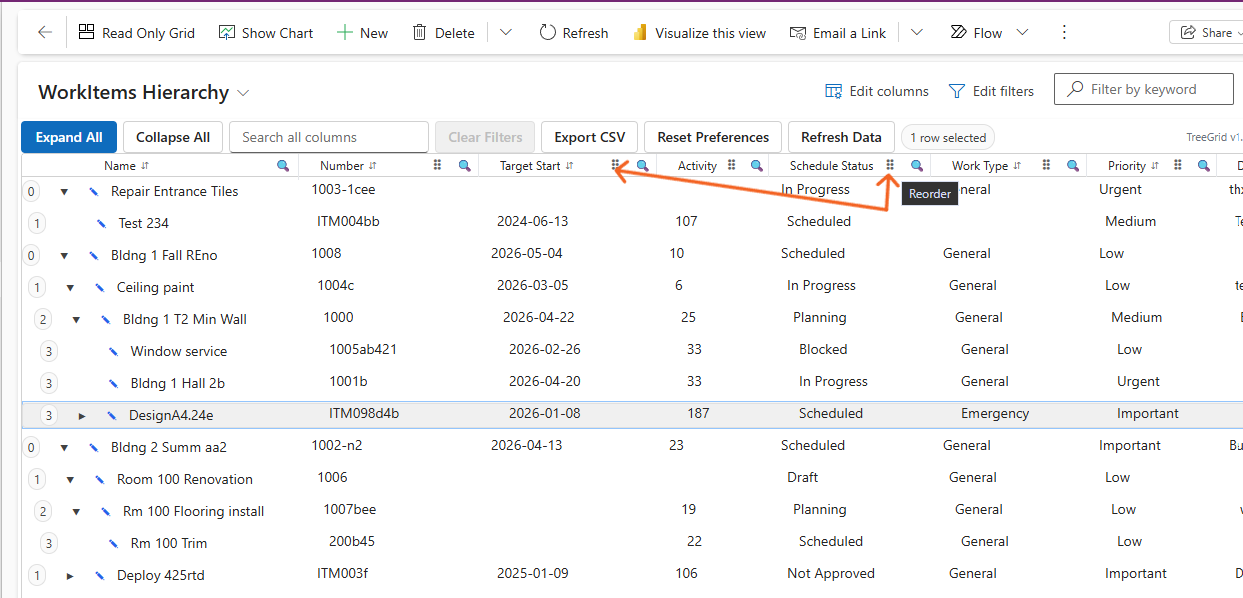
- 📊 Advanced Column Features – Sort, filter, resize, and reorder columns without code
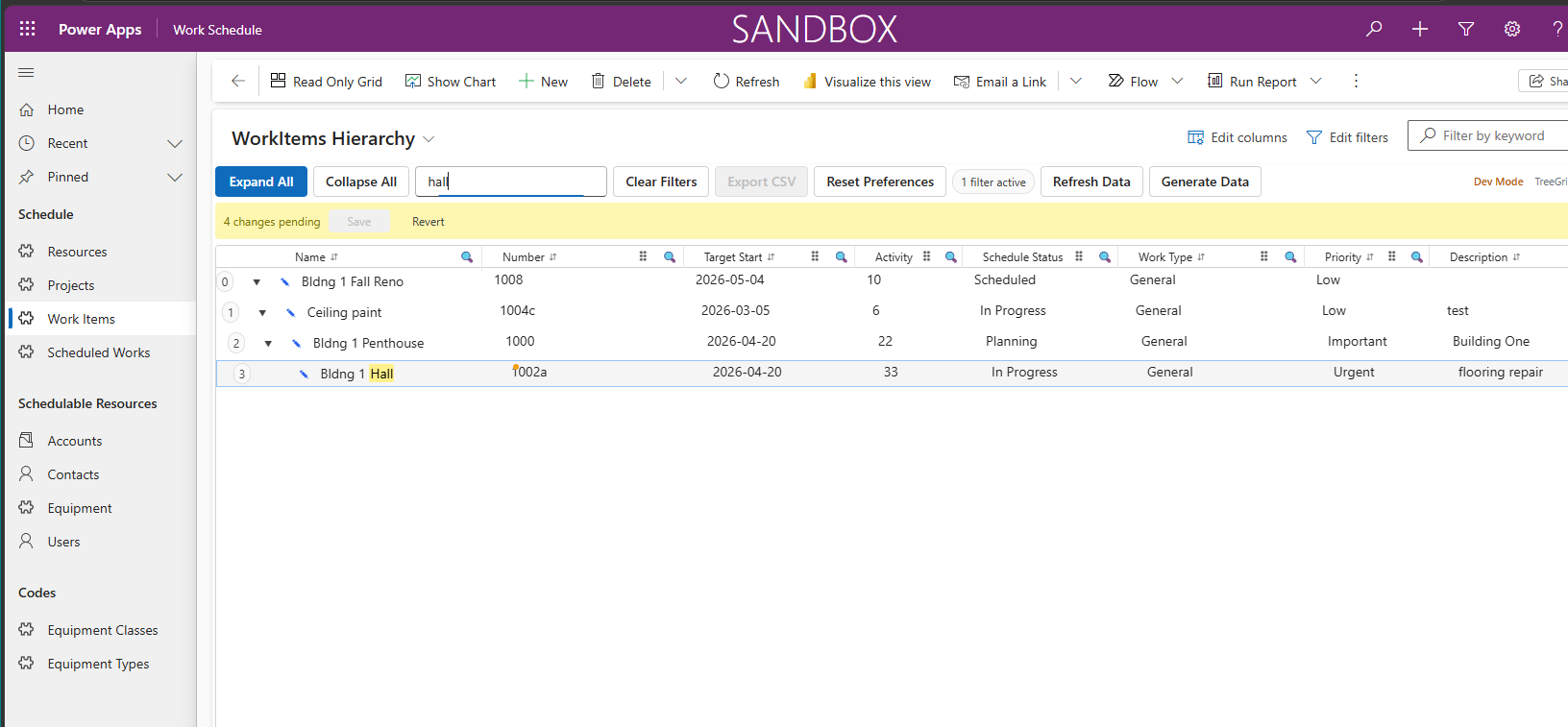
- ✏️ Inline Editing + Batch Save – Edit values directly; commit changes in one operation
- ✅ Flexible Selection – Single, multi-select, and range selection with context actions
- ⌨️ Full Keyboard & Accessibility – Arrow keys, F2 (edit), Esc (cancel), Space (select); WCAG 2.1 AA compliant
- 🧠 Smart Data Handling – Converts flat datasets to tree, detects circular references
- 🎯 Configurable & Extensible – Standard PCF dataset binding; customizable via column definitions and saved preferences
- 🎨 Modern UI – Built with React + Fluent UI for seamless Power Apps integration
Example Use Cases
TreeGrid is ideal for scenarios involving structured, hierarchical work or assets:
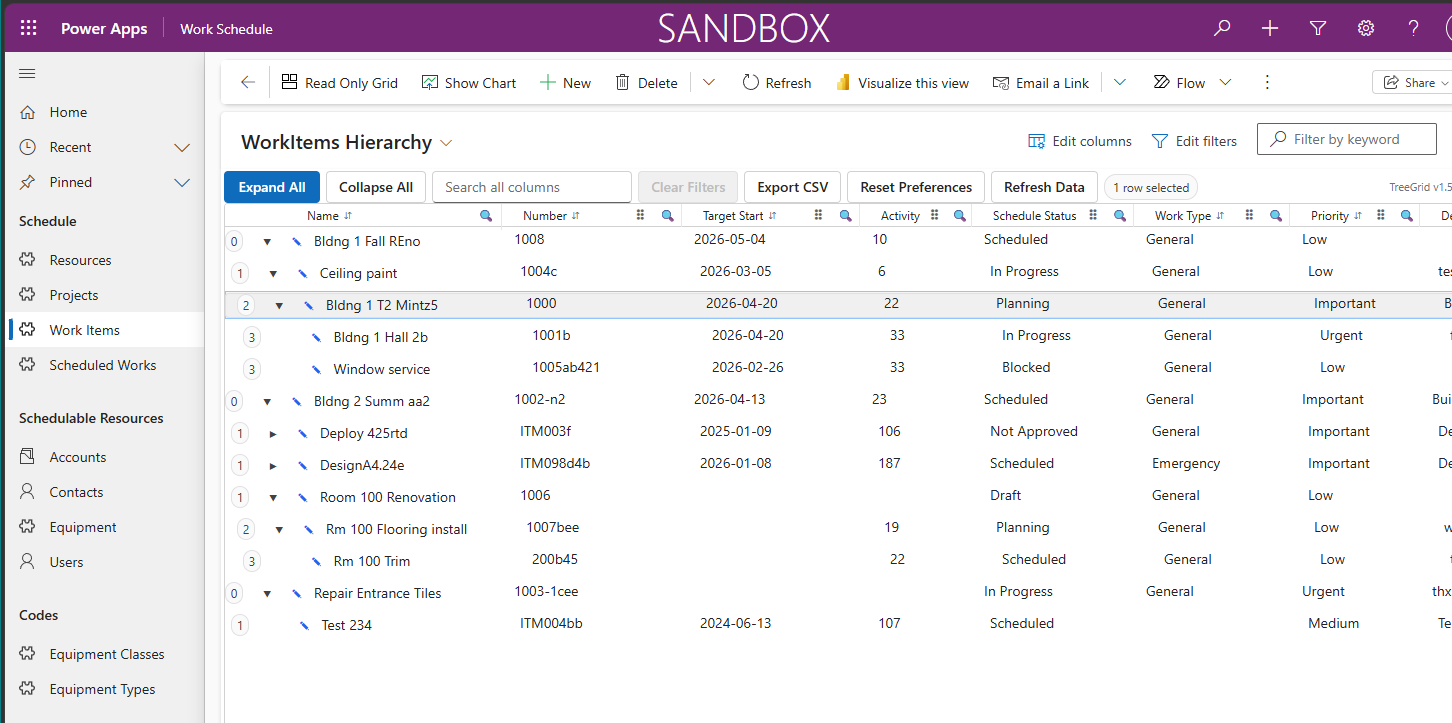
- Work Planning / Scheduling – Work groups → tasks → steps
- Facility Management / Maintenance – Projects → activities → work items
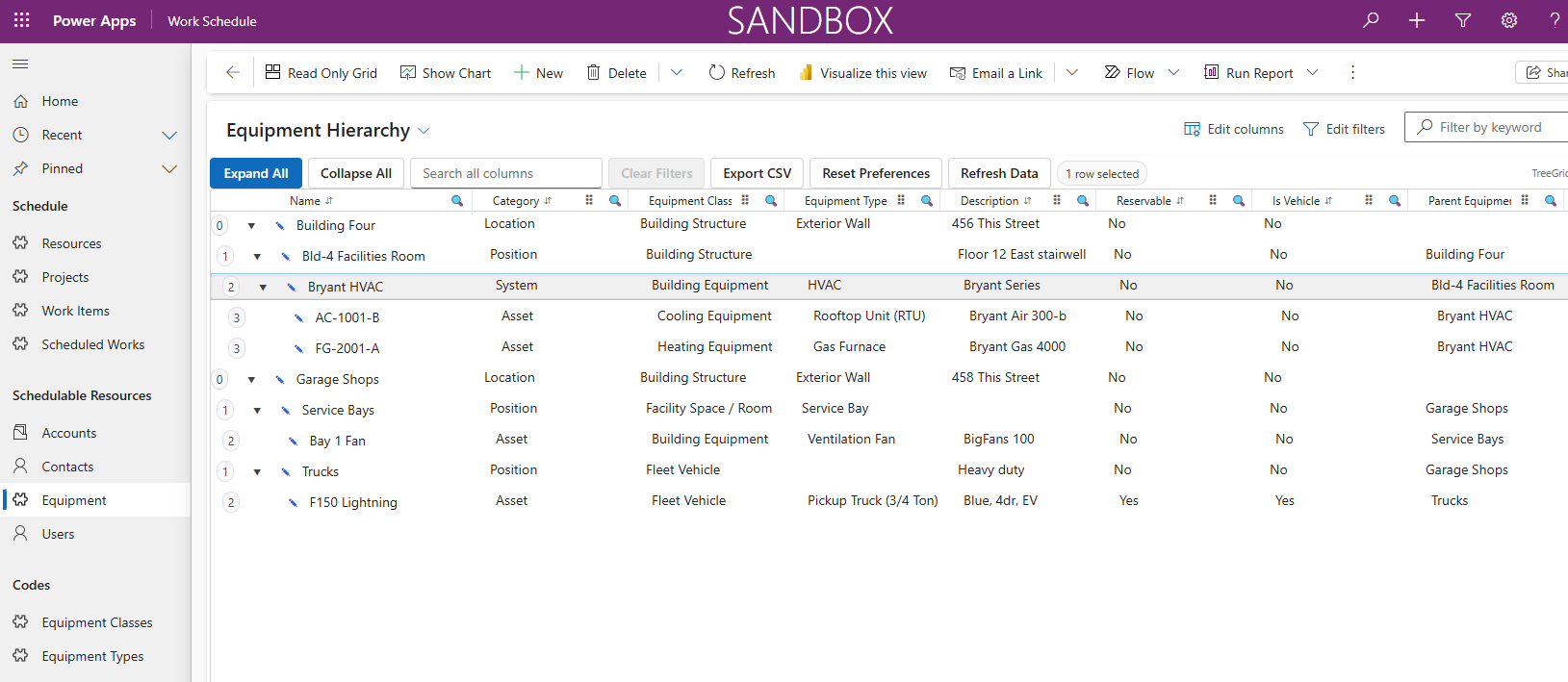
- Asset Hierarchies – Location → system → equipment → components
- Project Breakdown Structures – Phases → deliverables → tasks
- Inspection / Checklist Processes – Categories → checks → sub-checks
- Organizational Charts – Departments → teams → roles
Why Choose TreeGrid Over Standard Grids?
| Feature | Standard Grid | TreeGrid PCF |
|---|---|---|
| Hierarchy Display | ❌ Flat only | ✅ Multi-level tree |
| Inline Editing | ⚠️ Limited | ✅ Full + batch save |
| Performance (1,000+ rows) | ⚠️ Slows down | ✅ Virtualized |
| Keyboard Navigation | ⚠️ Basic | ✅ Complete treegrid |
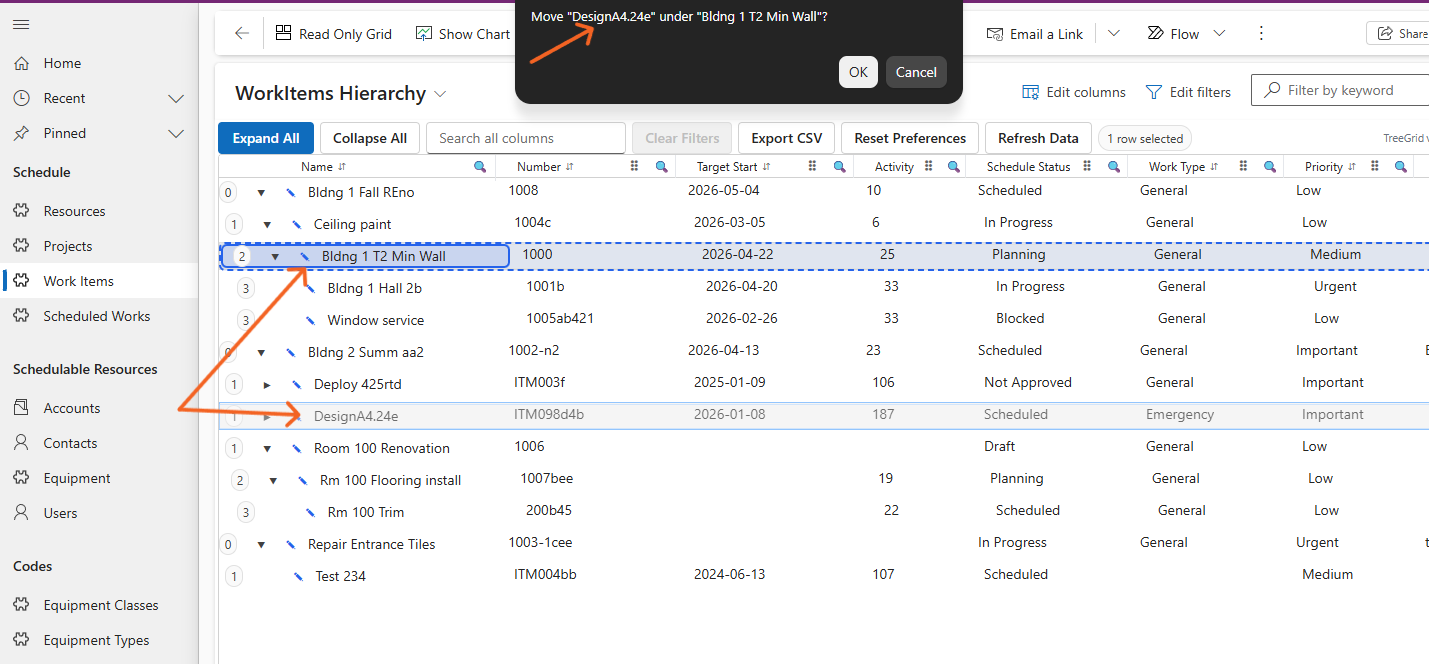
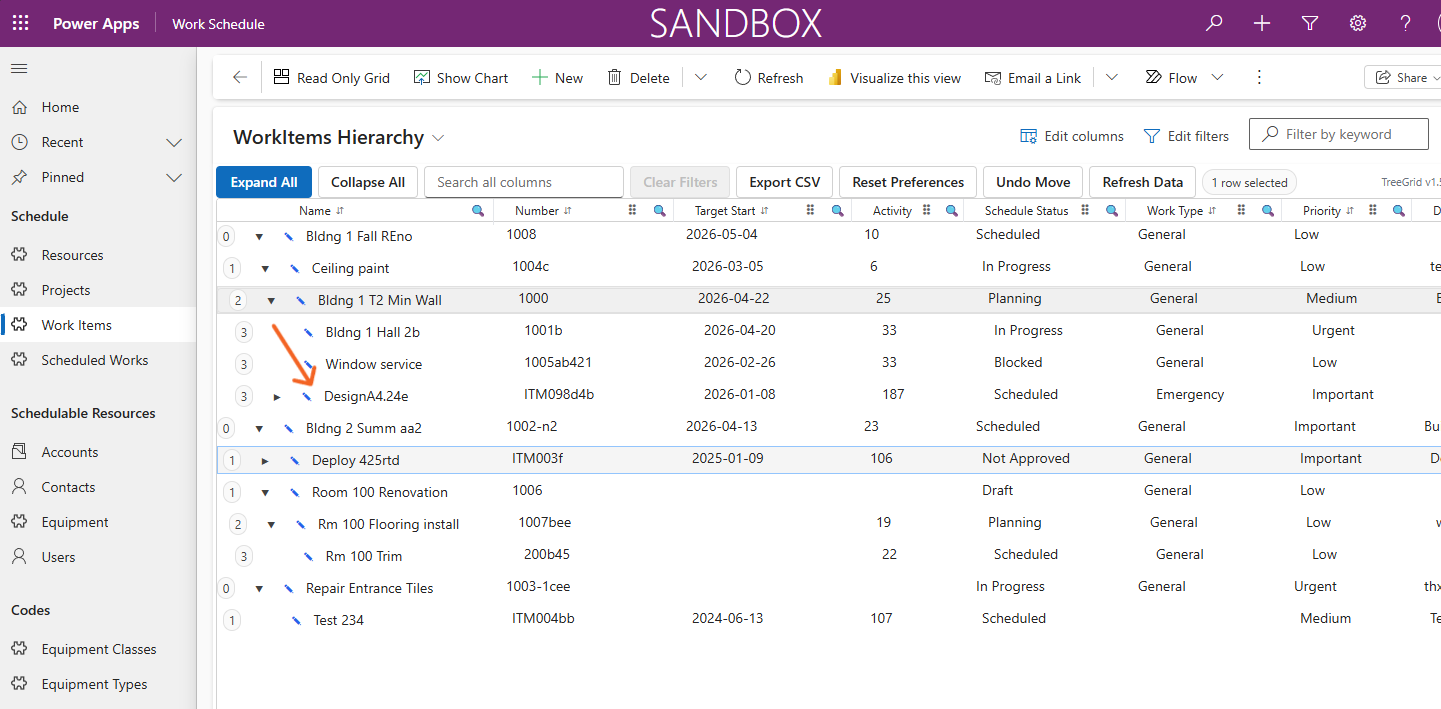
| Drag-and-Drop Reparenting | ❌ Not supported | ✅ Built-in |
| Column Customization | ⚠️ Manual config | ✅ User preferences saved |
Who Is TreeGrid For?
Built for Power Platform professionals:
- Solution Architects – Designing scalable Dataverse solutions
- Power Platform Developers – Building Model-Driven Apps with complex data
- App Builders – Need advanced UI without custom code
- Business Users – Managing work, assets, or projects hierarchically
No external services required. Works with standard PCF dataset binding and integrates seamlessly with Dataverse security and business rules.
TreeGrid PCF Control Screenshots
The following screenshots demonstrate the TreeGrid PCF control for Power Platform or Dynamics 365. Hierarchical equipment, asset, work item structures with fast search and inline editing. Click any image to view it in full size.
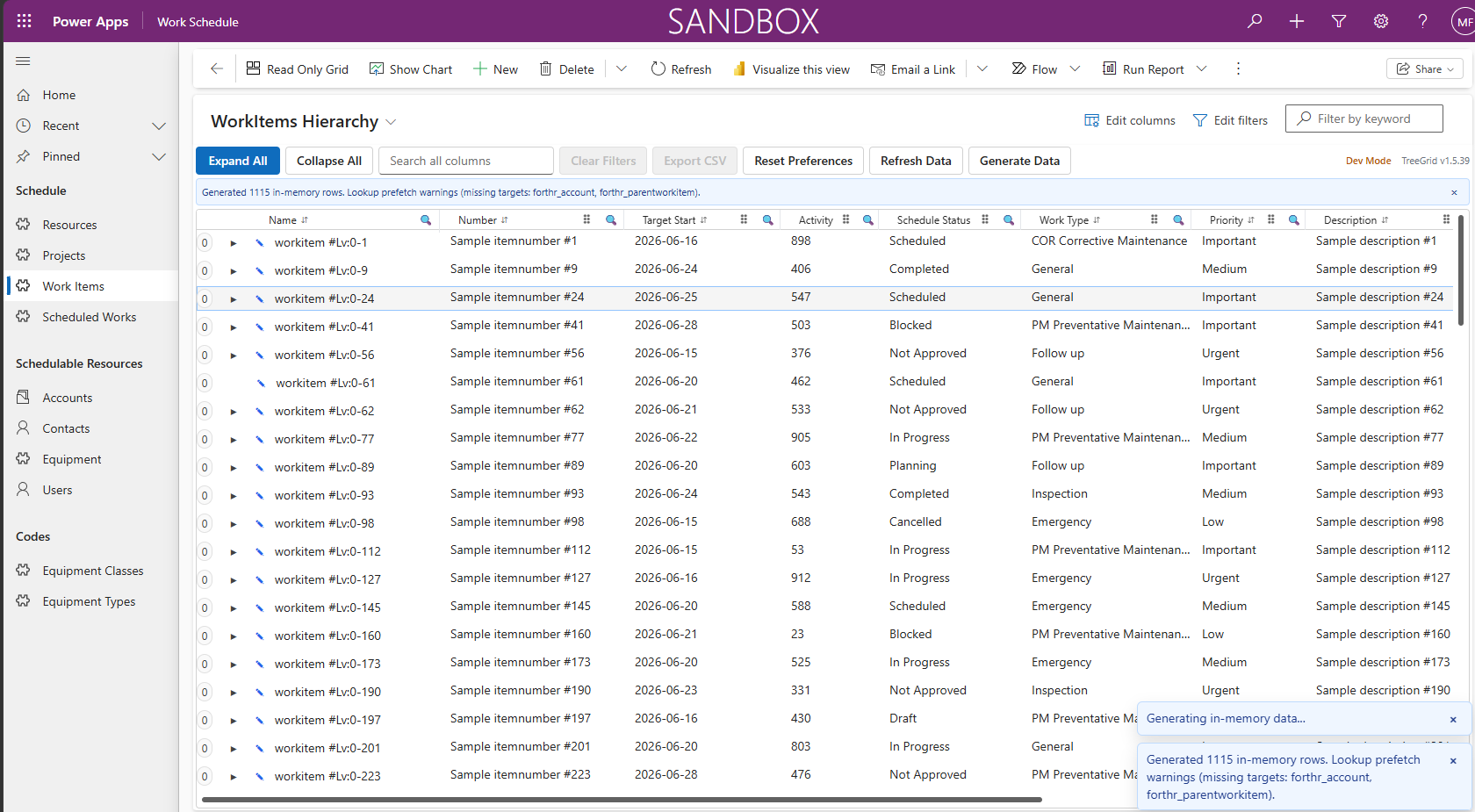
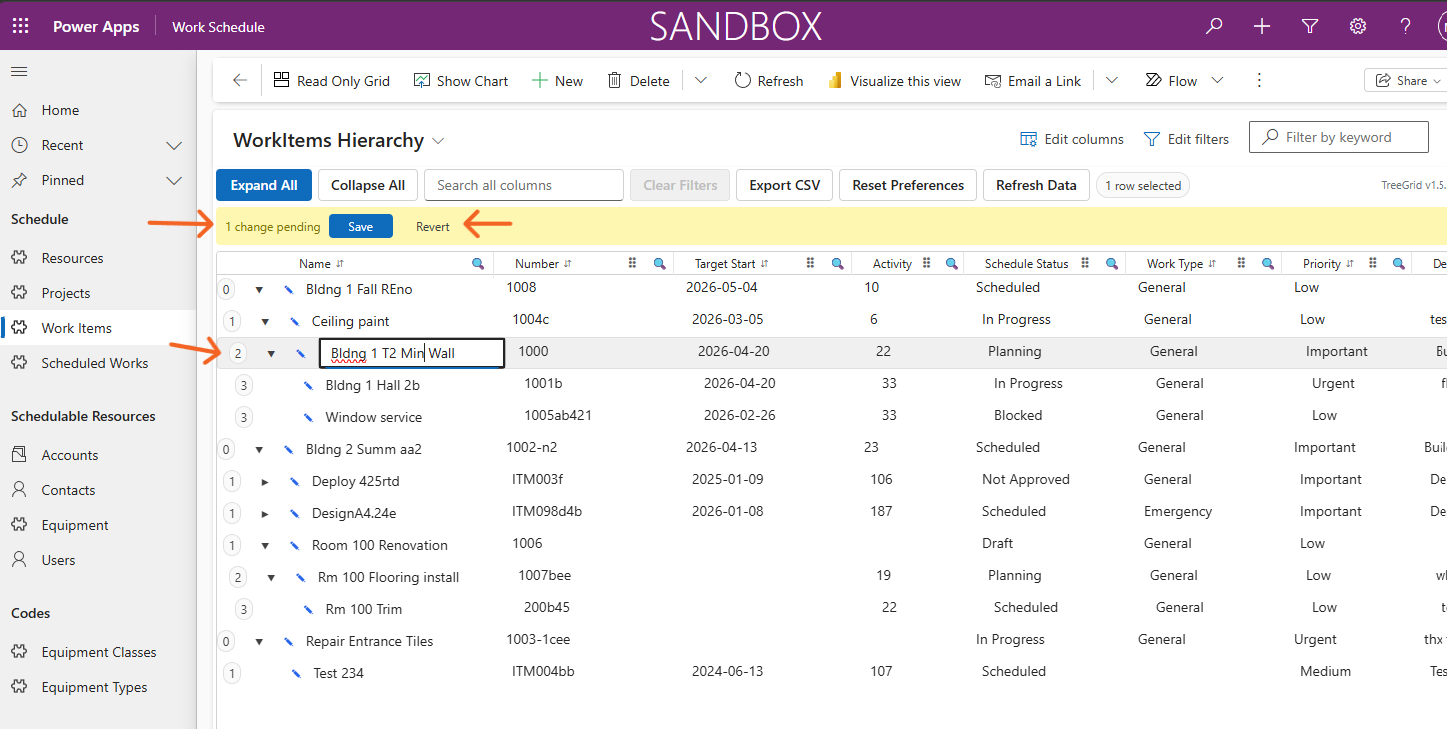
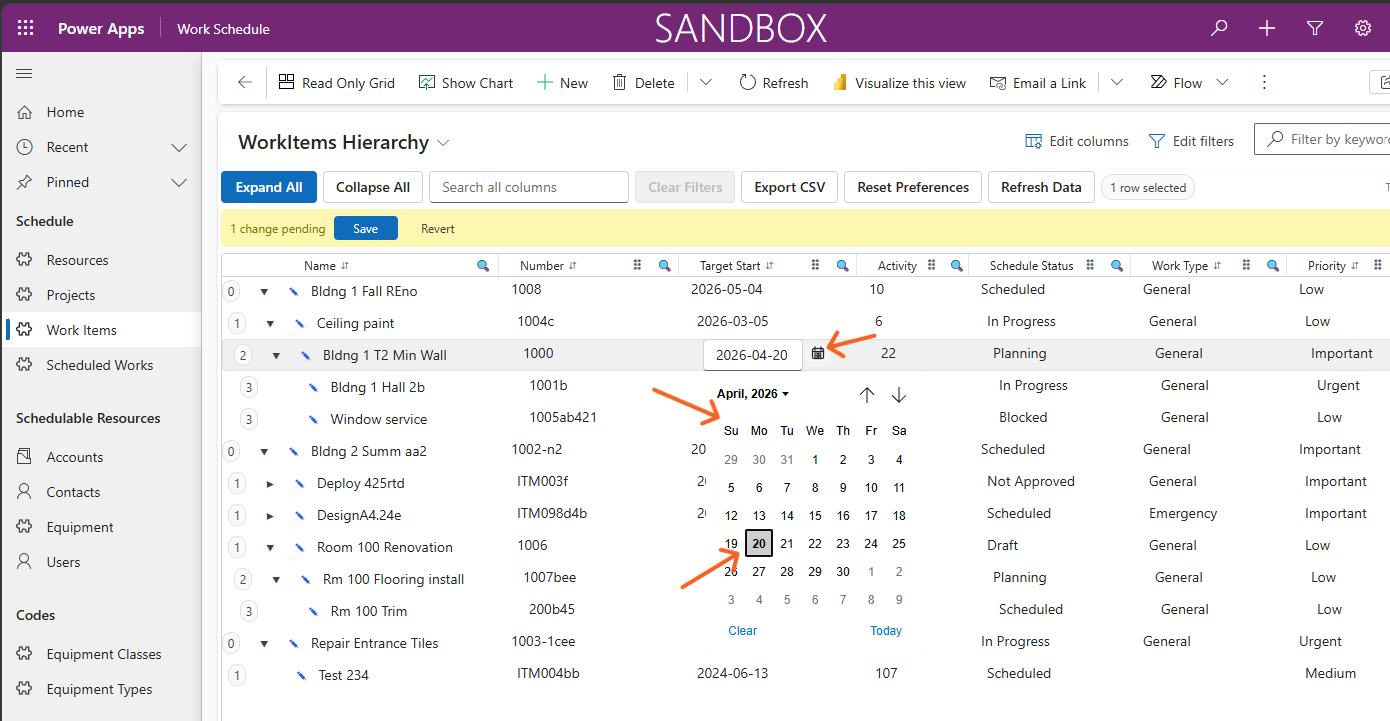
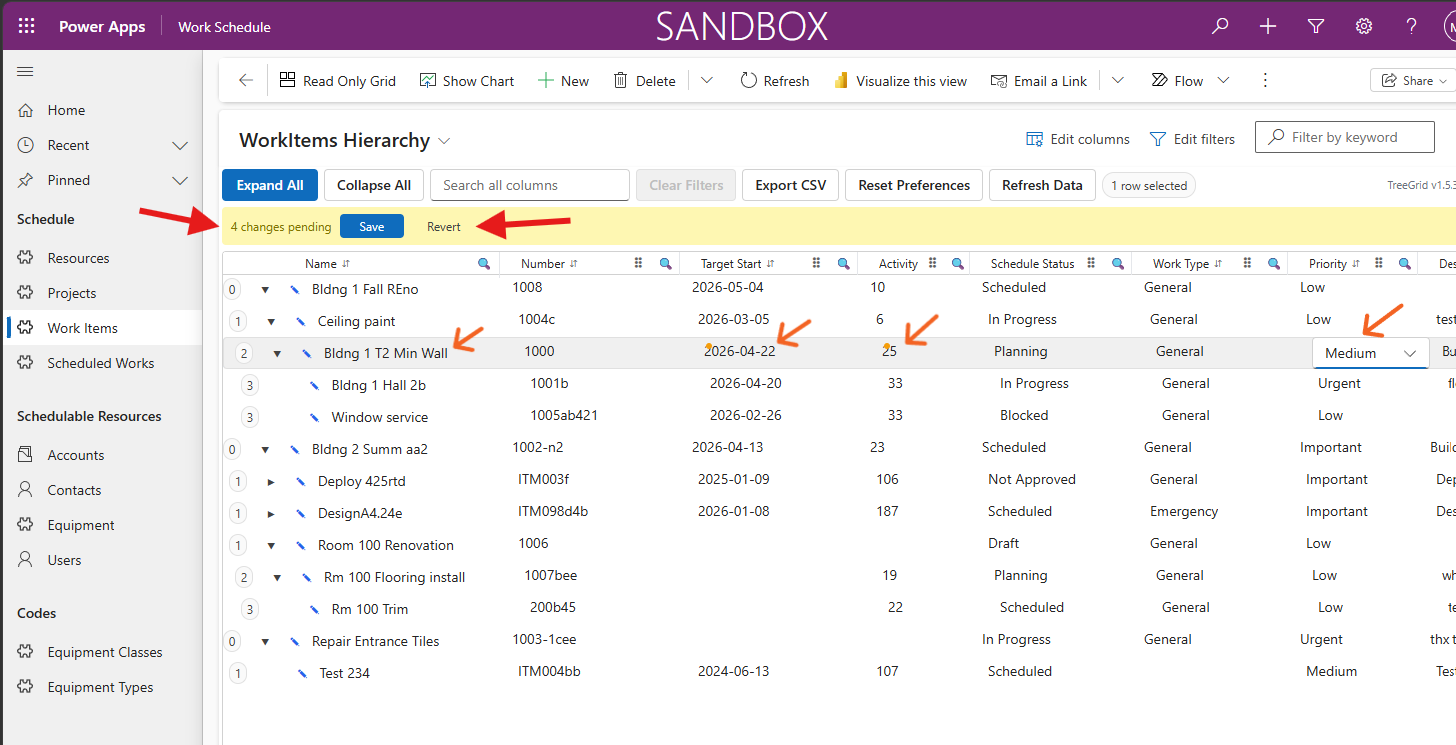
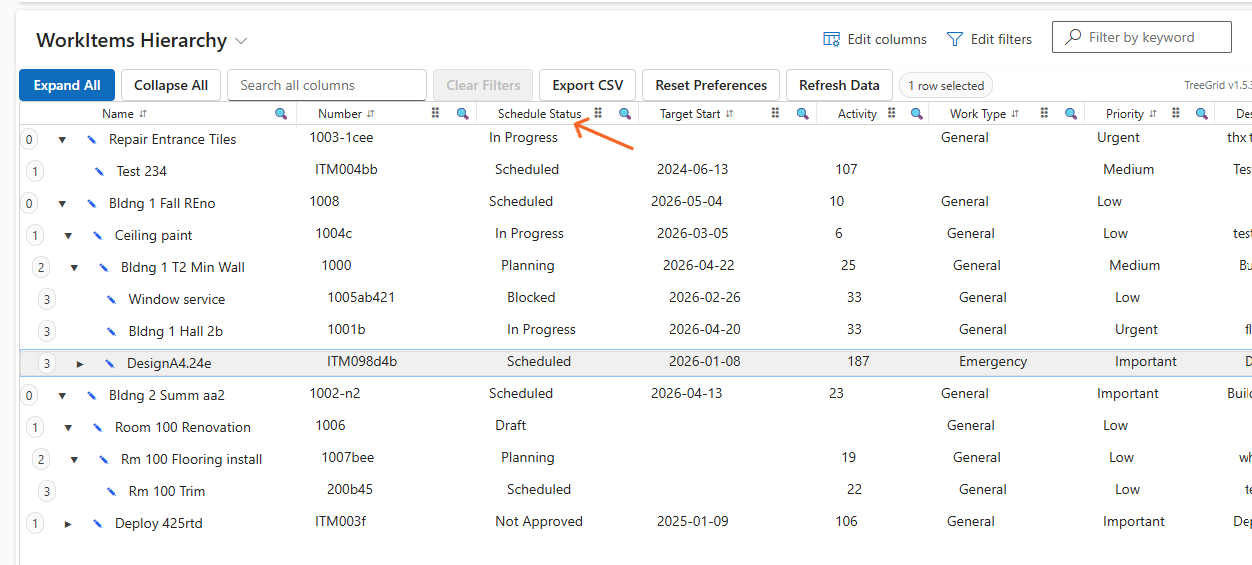
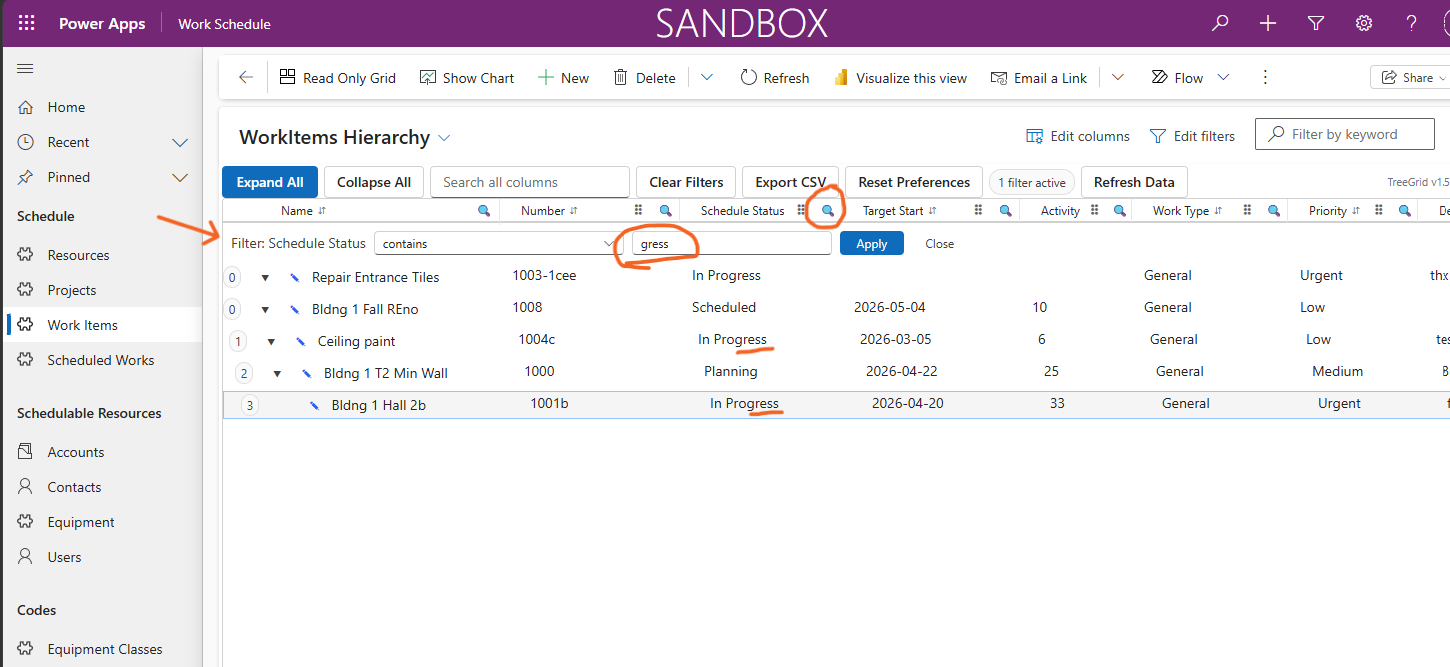
Browse screenshots to see features. Click to see a larger version.
Ready to Transform Your Hierarchical Data Experience?
TreeGrid is a lightweight, high-performance PCF control optimized for Dataverse—bringing structured, multi-level data to life inside standard Model-Driven Apps.
Learn About Work Plan Solution Explore ScheduleBasic PCF Contact Us for a Demo